Up next in 10



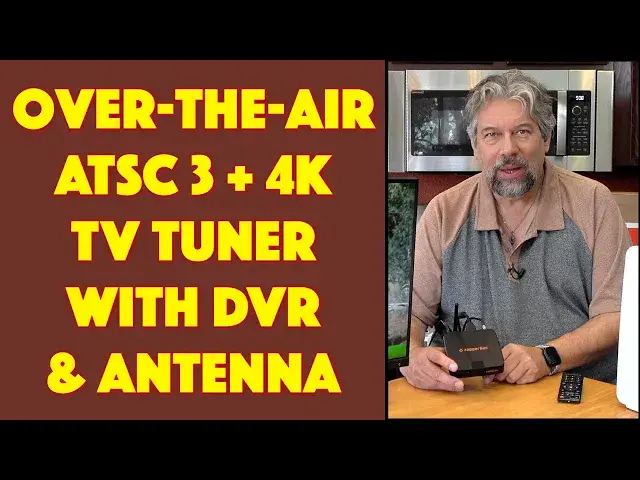
Cutting your TV cable but still want to get HD quality network channels? As the US slowly moves towards the ATSC 3 standard, you can receive 720p, 1080p, and, eventually, 4K content directly over the air. All you need is a good antenna and a smart, modern digital TV tuner. Tech expert Dave Taylor checks out just that combo with the Zapperbox M1 ATSC 3 tuner (with built-in DVR capabilities!) and the Zapperbox A1 antenna. Together they allow him to easily watch a selection of over 75 free channels including ABC, NBC, CBS, FOX, and PBS, pause shows, and even record his favorites weeks in advance.
Check it out at: https://www.ZapperBox.com/
Visit Dave's Q&A Web site at: https://www.AskDaveTaylor.com/
#zapperbox #zapperboxm1 #atsc3 #antenna #tuner #ota #tvtuner #digitaltv #askdavetaylor
Show More Show Less View Video Transcript
0:00
A 4K compatible ATSC 3 tuner with DVR
0:04
Let's check it out. Dave Taylor here and I'm watching television over the air
0:17
But over the air doesn't mean what it used to mean because now we have digitally encoded over the air broadcast
0:25
That is known as ATSC3. And there's still a lot of ATSC1, which is the more traditional signal, but you still need special gear to be able to get things from the airwaves
0:38
But here's the benefit. Just like in the old days with rabbit ears, it's free to watch
0:43
So if you get the right antenna set up, you are ready to watch a lot of different programs all for free for as long as you want
0:52
And by law, the United States has to broadcast these signals. So there is some encryption going on, but the system that I'm going to be looking at actually works with that and can decrypt it so you can watch everything
1:06
As you can see here, this is an HD signal of one of my local networks
1:13
And I am not paying for cable or anything. In fact, let's start with a story because it was just a couple of days ago
1:20
I went into my local Xfinity office and gave them back my cable box
1:25
And you know how much that saved me every month by canceling cable
1:29
$110 a month. That's a lot of money. So when we look at the price of this stuff, that's the sort of factor to compare is that, yes, this stuff's not super inexpensive
1:41
But over the course of a couple of months, you will come out cash flow positive, and then for years it'll be free
1:48
So what am I looking at? That's what this is. This is the Zapperbox M1 ATSC3 tuner with DVR features
1:59
So it is a simple box. You can see it's four and a half inches by four and a half inches by about one inch tall
2:06
And you just plug it into your television. That's what I have here. And you can just do all those TV things that you want without actually having to pay anymore
2:16
So nice. It is 4K compatible, though there are incredible. few channels pushing out 4k signals. There are plenty that are HD signals. Again, you can see here on
2:28
this show, it is a nice crystal clear image. And one of the cool things you get out of this is you
2:35
get the ability to pause. So hopefully it paused. So I can pause and then I can start it up again
2:45
whenever I want. There, let's pause there. And that's because that's one of the features of
2:51
the unit. So it offers HDR, it's all sorts of audio systems including Dolby Atmos. It has that DVR
2:59
What I'm going to do is I'm going to switch to show you everything on screen and narrate what it's doing
3:04
But I want to go through some specs first. So there's an on screen program guide. It does
3:10
automatic software updates. And I'll tell you, this company is endlessly adding features
3:15
They are constantly tweaking and tuning this device to give you more and more capabilities
3:21
fact they told me that in 2024 their primary focus is going to be to create apps for
3:27
roku apple tv and fire tv that will let you access this from your favorite set-top device now
3:35
i use a 4k apple tv and the idea of having this be just another app or channel on that without
3:43
having to switch inputs on my television sounds like a win so not there yet but i expect that to be coming
3:49
pretty soon. Now I will show you the box. I'm going to have to unplug it for that
3:54
but let me show you all the different interfaces First off you need some sort of storage to be able to do with pause play and DVR And you could do that through either of the USBA plugs or microSD
4:09
I put it in a 128 gig microSD card. It's like 18 bucks on Amazon
4:14
They're pretty darn cheap nowadays. On the back, you can see there's that antenna connector
4:21
There's HDMI out. That HDMI is 2.1, so it supports up to 8K, though the device
4:27
doesn't support 8K itself, there's Ethernet if you want to actually connect to the internet
4:32
or it works with Wi-Fi, you don't need anything to plug in for that, has its own little mini
4:37
antenna, and of course it has power. It also includes a remote control, and the remote control
4:43
makes this really easy to work with, and that's how I'm doing all of these different things
4:48
And on the remote control, for example, I can push and go to the guide, and then we can see
4:54
what channels do I get and what's on those channels. Now, I'll show you more about that, including the whole scan feature
5:02
But again, that'll be in a minute or two. Right now, my little speaker, I have this
5:09
This is really just a computer monitor, so sort of rigged it up to be a small TV for us
5:14
But it has some interesting quirks. Those are all about this and nothing about this
5:19
So don't panic. Now, in addition to the zapper box, I want to also tell you that they sent me their A1 antenna
5:29
So this pretty hefty device is the Zapper Box A1 antenna actually made for them by Televez
5:39
And Televez is a long-time TV antenna manufacturer, and there's a lot of smart electronics inside of this
5:46
So you can use this literally just like this. You can just stick it on a table, you can put it in a window, really easy to work with
5:54
and it comes with a 16 foot cable so you have the ability to have it not be super close to your zapper box
6:02
You can also put it in the attic. You can even mount it on a bar or pole so you can have it outside
6:08
It's an inside, outside antenna fully weatherproof, and it comes with lots of different mounting hardware
6:15
And it comes with this reflector, which if you're in an urban environment with a lot of signals all around you
6:21
you might not need this and then this becomes sort of a unidirectional antenna
6:25
But what this does is it essentially means that where it's pointing is going to be where it's
6:31
looking for the signal. Now, the irony of this is I am pointing in exactly the wrong direction
6:36
How do I know? Well, there's a website called antennaweb.org. And you can see here when I entered my address, it showed me where all the broadcast antennas are
6:48
which then gives me the information I need to figure out. what direction to point my antenna
6:54
Now, unfortunately, they're coming from all different directions, but primarily they're coming
6:58
from the south. So that's primarily where I point it when I'm actually using it
7:03
Now, the other question you might have is, all right, well, if I get all this stuff
7:08
what channels am I going to get? And another really good website is rabbitears.info
7:14
And here you can see it shows all the channels I should be able to get over the air
7:19
shows you what your channel lineup should be. So that's really cool
7:25
This antenna is really easy to work with. It actually is a very sophisticated antenna that supports 4GLTE
7:32
It supports new technology that's not even released in the United States called MMO
7:37
And, you know, it's just basically one of these things where all you have to do is plug it in
7:44
and then run that cable all the way to... this device that actually is sort of an amplifier in line
7:53
I got so much going on down here. Let's see if I can bring it up
7:58
So it has this little amplifier And that amplifier also has an external power And then it has a wire that runs straight into the zapper box So you know this is going to be just like so many devices where behind the scenes there a lot going on with the wires
8:14
Having said that, let me switch to showing you this screen and walking you through some of these really interesting features
8:22
So let's do that. So we're watching a show, and if I push the info button, then it will actually tell me about this show
8:28
It will also show me that this broadcast is at 720p with Dolby audio
8:34
I've muted it so it's not too distracting, but I can push the info button again
8:39
And where this gets fun is if I push on guide, then obviously I can move around
8:45
Now notice here that little like blue semi-raimbo. That means that you're getting an ATSC3 signals
8:55
So those should be the best quality signals. And as you can see, I have a fair number of channels, but I don't get a lot that are in ATSC3 yet
9:06
If I do, you can see the switch time. It will go from that to Great Day, Colorado
9:13
And again, we're seeing it's in Dolby Audio. It takes a couple of seconds to resolve the new channel
9:20
Also 720P, but it's a really bright, crisp image, and it looks and sounds great
9:27
So that's the guide. I can go to menu and then you can do search. You can switch to YouTube if you want to watch YouTube videos. If you go to settings, there's a lot of settings here. You can do a channel scan and let's do that. Let's do a full channel scan. That will actually remove all of my current channels. But that's okay. We'll just start over. And I'm going to speed this part of the video up a little bit because it takes a minute or two to do the full
9:57
scan. So not bad. It looks like it found 59 channels for me and it's only showing that
10:12
RF frequency 34 is giving me ATSC3, but that's okay because that still counts as four
10:20
different channels and over time we're going to see more and more channel switch. Now let me
10:26
click okay. And so now we have our new channel lineup. And if I push on the guide button
10:32
then it will actually show me these are the channels we just saw. Now notice here
10:38
that it's showing like KWGN 2.1 and it's showing me that is ATSC3. It didn't show up in the
10:46
scan, but it shows up in the guide, which is pretty interesting. So let's switch over there
10:51
and watch live with Kelly and Mark. I don't know who Kelly and Mark are, but we can
10:56
this show live. And it's Dolby Audio and let's see what resolution we get out of this
11:03
So 720P again. But again, this is eminently watchable. Now, one of the other things I want to show you is that I can actually record this program by just pushing the record button
11:15
And now it's recording that on the DVR, I can switch to the DVR by pushing the DVR button on my remote
11:23
And you can see there's a library. I have already scheduled some shows to record a little bit down the road, which is great
11:38
Look at that. This is almost two weeks in advance. I'm scheduling to record a soccer match on KUSA
11:46
You also can set up some series recordings. There's a user guide
11:51
There's a history of what. things you've recorded and possibly that you have removed. And, you know, it also shows
11:59
on the right how much free space there is Remember this is a hundred and twenty gig micro sd card that I put in the side So that all the DVR stuff really really slick And I want to go back to live TV which I can do with the button live TV
12:16
And then if I push on the zap button on the remote, it gives you the ability to do some really basic setup, which is great
12:24
So that's pretty much everything I wanted to show you on screen
12:29
Let me switch to being back on camera. So that's really everything I wanted to share with you
12:34
Out of the box, it's really easy to work with. You just plug in all the different things
12:39
I will say the hardest part of the entire process is figuring out how to mount the reflector on the back
12:46
if you're not going to use it mounted to a wall or mounted to a cable or pole outside
12:54
And look closely at where the screws are that will show you that's how you need to do it
13:00
it took me a little bit of the sort of fiddling around with different possibilities to get it so where it would be able to stand up
13:08
But then once you do that and you point it in the right direction, you plug everything in, you turn it on, boom, you're ready to go
13:14
First thing it does is it actually does a channel scan. It takes a minute or two as you saw
13:19
And then you're ready to go and ready to watch your shows. And it really can't get much easier than that
13:24
So I'm a big fan of this setup. I'm excited to see what they're going to do with it as they continue
13:30
to evolve the product and I love that I don't have to pay a hundred and ten
13:35
bucks a month for cable TV and yet I still have access to DVR and pause and
13:41
all of the major broadcast networks and even some other interesting side
13:45
channels and stuff so really lots to like here now real quick let's run through
13:50
the pricing but I'm gonna ask you to subscribe to my channel beforehand so just
13:54
click on that subscribe button give me some feedback thumbs up always
13:58
appreciate that don't forget to turn on notifications so you're aware when I post new content I get lots of gear I
14:05
review lots of stuff and I really focus on how does it work as opposed to the
14:10
sort of technical nitty-gritty which I don't think most people care about you
14:14
know do you really need every single spec and like you know the signal to noise
14:18
ratio in decibels and all that probably not you just want to know does it work
14:22
and as you can see this works really well now let's go down the list this is
14:29
the Zapper Box M1, ATSC3 tuner with DVR. It has a single tuner unit, and that gives you just the ability to record or watch or record what you're watching
14:43
And there's also a dual tuner unit, which is what I have, which means that it can record even if you're watching something else, which is obviously more sophisticated
14:52
So the single tuner unit is 24995, and the dual tuner unit is 270
14:59
94.95 at zapperbox.com. You really don't want to get this and not also either have or get a really good antenna
15:08
And this is a really good antenna. This is the Zapperbox A1 antenna and it is 14995 at zapperbox.com
15:19
So get both of these. Get it all hooked up and you are literally free for the rest of your life from paying for all these channels
15:27
So it is a glorious way to cut that cable and still get access to all the major sporting events
15:35
and all the political stuff and all the debates and all of your favorite shows on all the
15:41
different major networks. So that's everything I got. I'm going to go back to my show
15:46
So I'll catch you in my next video
#Consumer Electronics
#Media Streaming Devices